

Buying as-is medical equipment is one of the smartest ways to grow your resale business — especially if you’re looking for high ROI and less competition. But what happens when you can’t power it on or test it before buying?
Don’t worry — that doesn’t mean you’re buying blind.
Whether you’re sourcing from an auction, broker, surplus site, or hospital clearance, here are practical ways to evaluate medical equipment condition before powering it on.
🔍 1. Start with Visual Condition
Before anything else, do a full visual inspection. Many seasoned resellers can tell a lot from just a photo set.
Check for:
- Cracked screens, bent ports, missing buttons
- Rust, corrosion, or water damage around the power supply
- Missing accessories (probes, leads, carts)
- Torn labels or asset tags (might hint at rough usage)
💡 If it looks clean, intact, and complete — chances are better it was well cared for.
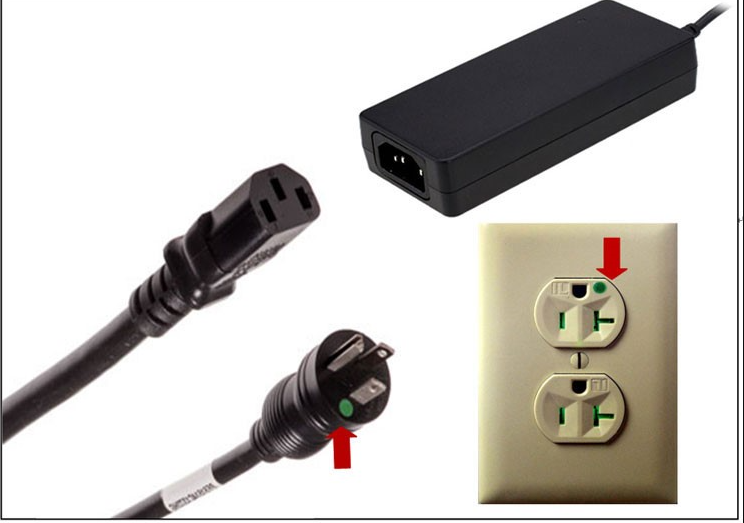
🔌 2. Inspect Power Inputs and Connectors
Look closely at:
- Power cord integrity (fraying = red flag)
- Input jacks and connectors
- Fuse compartments (missing fuses may indicate previous issues)
- AC vs. DC ports — some hospital gear uses unique power supplies
🔍 Well-kept ports = higher chance of functionality.
🏷️ 3. Check Labels, Model Numbers, and Serial Plates
Always ask for or zoom in on:
- Model number
- Serial number
- Manufacture date
- Service history stickers or tags
With these, you can:
- Look up the original specs online
- Verify that parts or repairs are available
- Estimate market value based on age & usage
🧰 4. Ask About Deinstallation Circumstances
This is something most new resellers overlook.
Always ask:
🗣️ “Why was this equipment removed from service?”
Common responses:
- “Clinic upgraded” = great sign
- “Patient no longer needed it” = minimal wear
- “Wasn’t working” = proceed with caution
If the seller can’t answer, treat it as untested and price accordingly.
🔧 5. Look for Units That Power On But Aren’t Tested
A lot of hospital and lab surplus gear is removed working but sold as-is.
If a unit powers on, that’s a great starting point.
📸 Ask for:
- A picture of the device turned on (screen lit up, buttons working)
- Boot-up screens (for imaging, monitors, EEG/EMG)
Even if functionality isn’t guaranteed, a power-on photo adds major buyer confidence.
💡 Bonus Tip: Stick to What You Know (at First)
If you’re new, stick to common categories like:
- EEG/EMG systems
- Patient monitors
- Ultrasounds
- Light sources and lab analyzers
These have active buyer markets and lots of reference info available online.
📦 Final Thoughts
You don’t need a power source or technician to make a smart buy.
You just need a process, good supplier communication, and a sharp eye.
That’s how smart resellers grow their business — even with untested, “as-is” gear.

 All products